3D editing in BrainDeer
The 3D view is not just a preview — it is a studio. Orbit while you think, then refine how surfaces look, how light falls, and how quantitative maps sit on anatomy. When you need publication lighting, hand the same layout to Blender.
What's in the scene
- Slice planes — three orthogonal MRI planes, live-linked to the 2D tiles (linking)
- Surfaces & meshes — cortical / subcortical geometry with automatic LOD
- Tractography —
.trkbundles as 3D lines - Scene rig — save and restore camera positions for reproducible figures
Shading & smoothing
Change how 3D objects respond to light and how smooth their surfaces read. Soft shading makes subcortical shapes and electrodes easier to parse; harder shading can emphasize edges when you need crisp geometry.
Shading and smoothing — tune the surface until the anatomy reads cleanly.
Lighting
Adjust the scene lights so form and depth pop without washing out overlays. A small lighting change often does more for a figure than another colormap tweak.
Lighting — set the mood of the scene while you keep exploring.
Surface projections
Project quantitative data onto surfaces so values live on the anatomy, not only in a separate 2D tile. Slice planes stay in the scene so you never lose MRI context.
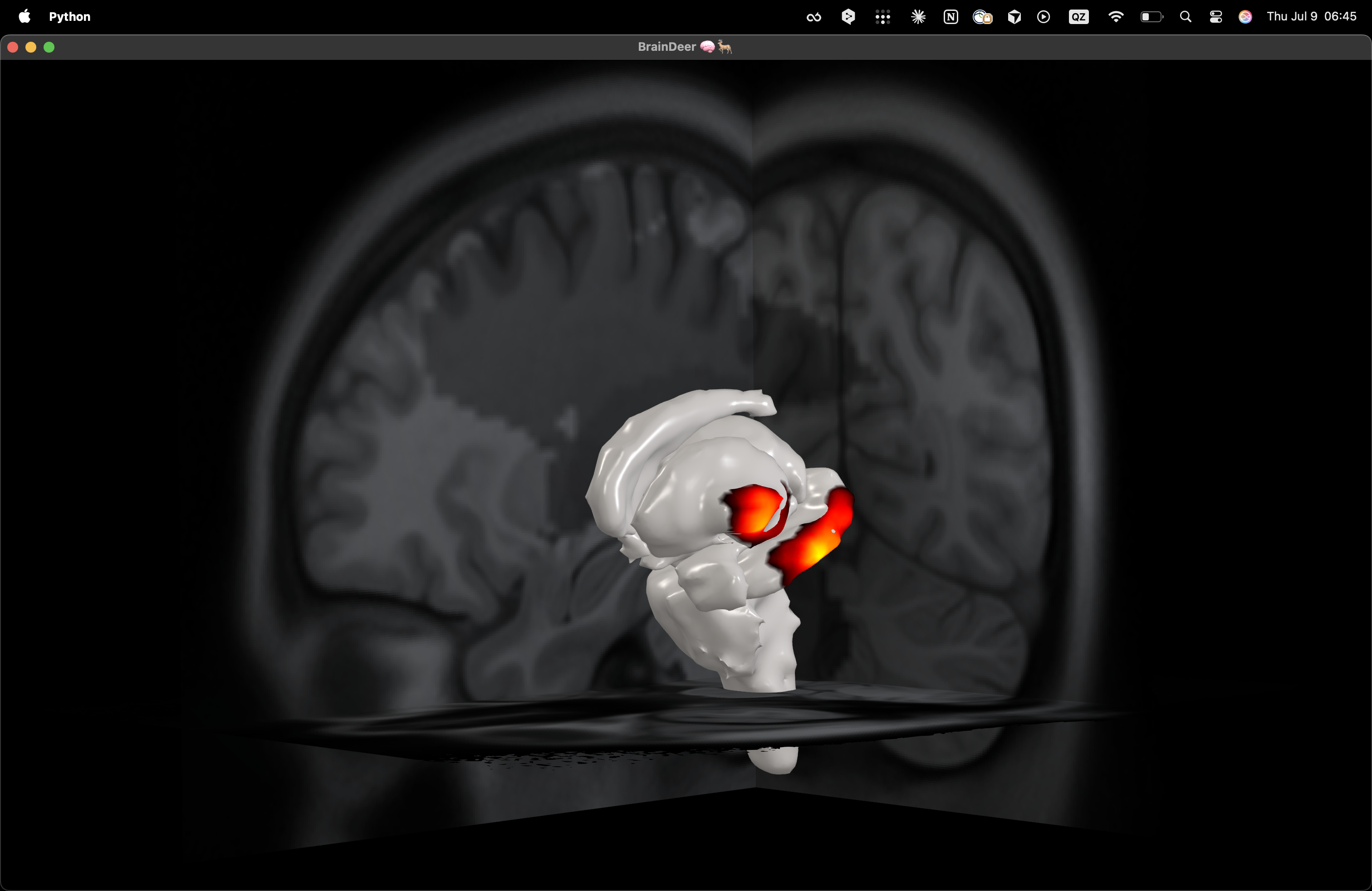
Heat-style maps on the mesh, framed by orthogonal slices — ideal for talking through a finding in one view.
Surface projections in motion — orbit while the map stays locked to the mesh.
From BrainDeer to a figure
When the composition is right but you want soft shadows and print-ready edges, push the same scene through the Blender bridge.
→ High-res with Blender — one-click bridge: BrainDeer opens Blender and sends the scene.
Media coming soon
A high-resolution Blender turntable of the projection scene will land at the end of this page (and on the home highlight) once the render is finished — drop it in as docs/assets/video/bd-3d-projections-hq.mp4.
See also
- Navigating the interface — full-screen a view, Sims Mode, gestures
- 3D editing & high-res Blender
- Export & rendering
- Performance